Find the existing profile before creating another
Search Maps for the clinic name, address and practitioner name. Record the listings you find, their public URLs and who controls them. A profile may have been created by a former staff member or an earlier agency. Creating another listing without investigating can leave patients choosing between inconsistent phone numbers, websites and opening information.
Make an ownership register that the clinic can maintain. Include the business-controlled account, authorized managers, recovery contact and person responsible for public information. Give a provider the access needed for the work rather than sharing a personal password. Before ending an agency relationship, confirm that the clinic can still manage the profile and its linked website.
If an existing listing has a problem, document it before making several changes at once. Save the public URL and a description of the discrepancy. Use Google's ownership or support process for the actual issue. Repeatedly creating new profiles is not a substitute for resolving control of the real business listing.
Decide whether the listing represents the clinic or a practitioner
Apply Google's individual-practitioner rules to the real staffing arrangement. Public-facing practitioners who are directly contactable at a verified location may qualify for their own profiles. A practice with multiple practitioners and a solo practitioner operating under a brand require different decisions. Google recommends a shared brand-and-practitioner profile for the solo branded case. Do not create profiles for every specialty.
The worksheet below helps prepare that decision; it does not replace the current eligibility rules. Write down who a patient believes they are contacting, which appointment route serves them and which name appears in the real world. Ask the practitioner to confirm these facts before an agency changes a listing. If the arrangement is unusual, resolve eligibility with official guidance before publishing.
| Practice situation | Information to gather | Decision to verify |
|---|---|---|
| One public-facing practitioner and a clinic brand | Real-world brand and practitioner names; appointment contact | Whether the shared profile guidance applies |
| Several practitioners in one clinic | Clinic identity and each practitioner's direct contact arrangement | Which separate practitioner profiles meet Google's rules |
| A practitioner working at more than one address | Actual presence, patient access and contact arrangements at each | Eligibility for each location before creating another listing |
| A shared building or rented room | Patient entrance, signage and staffing arrangements | Whether the location meets the applicable representation rules |
| An old listing after a staffing change | Profile ownership, current name and destination links | The appropriate edit or support process for that specific listing |
Prepare one approved set of public clinic facts
Use the real-world business name and accurate location details. Select categories that describe the actual business; the available choices should be checked in the profile editor. A mailing-only virtual office is not an eligible clinic location. Do not add nearby-city or treatment keywords to the name simply to attract searches.
Create a source sheet for the clinic's approved name, address, suite, phone, website destination and appointment arrangements. Have reception verify it against what a visitor will encounter. This is especially useful in a shared medical building where the street address is correct but the entrance or floor is unclear. Keep detailed arrival instructions on the website where they can be explained clearly.
Check Google's current hours guidance for your operating model, including appointment-only businesses, instead of inventing opening hours. The practical question is whether the published information sets an accurate expectation for a person trying to reach the clinic. Align the profile, website and scheduler around that expectation, and assign someone to keep them consistent when the schedule changes.
Write the business description in plain language about the practice. Distinguish the services it offers from general terms people might search. A keyword list says little about who the clinic serves. Avoid asserting unsupported superiority or treatment outcomes. For a bilingual clinic, describe language support accurately and make the website's language navigation easy to find.
Connect the profile to the right website and appointment route
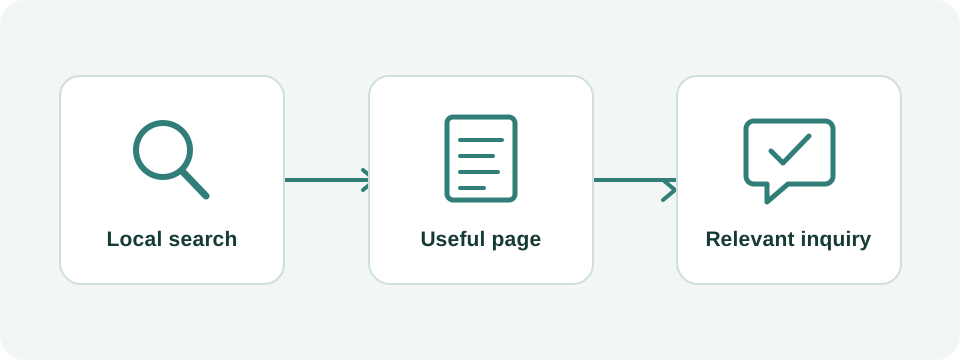
Treat every profile link as a patient journey to test. A person choosing a location should arrive at a page that confirms that location, its contact details and how to request an appointment. A practitioner profile should not leave the visitor unable to identify which person they selected. When several clinicians share one scheduler, the website should explain the choice before the visitor reaches an unfamiliar vendor interface.
Test links after changing website platforms or scheduling providers. Follow them on a phone while signed out of clinic accounts. Look for access restrictions, expired appointment links, unavailable services and redirects to the wrong location. A link that works for an administrator may still fail for a new visitor.
If your team uses campaign parameters to distinguish profile traffic in analytics, keep the naming consistent and document it. The parameters should identify the channel, not contain patient information. A counted website visit or appointment-link click still needs separate evidence of a completed appointment. Do not report those actions as interchangeable.
Use photographs and reviews to answer practical questions
Start with photographs that help a first-time visitor recognize the location: the exterior, entrance and reception area. Check image ownership and permission before uploading. Avoid showing identifiable patients, paperwork or private screens. Keep an approved photo folder so a future manager does not have to guess which images can be used publicly.
Google permits requests for honest reviews and prohibits incentives. Use a neutral request and a direct review link; do not make the request depend on an expected positive rating. For a clinic, keep public replies general and move individual care discussions into the practice's appropriate private channel. Do not confirm treatment details in a reply.
A useful internal workflow is to assign one person to review public feedback, identify operational themes and route private issues to the responsible team. If several people report confusing directions, fix the arrival information. If a review appears to violate Google's policy, assess it against that policy and use the reporting process. A negative opinion alone is not evidence of a policy violation.
Diagnose visibility without promising a fixed Maps position
Local results depend on relevance, distance and prominence. Search results can differ across neighborhoods and devices. Record the query, date and search location when reviewing visibility. A screenshot taken near the clinic is not proof of visibility throughout the city, and paying a consultant cannot buy a better organic local ranking from Google.
Distinguish profile problems from website problems. If the listing has the wrong contact information, fix that factual issue. If visitors reach the correct website but cannot understand the appointment process, improve the landing page. If a service is absent from the clinic's public information, confirm that it is actually offered before adding it. Each diagnosis should lead to a specific action instead of a broad promise to 'optimize everything.'
For a hypothetical review, imagine that branded searches find the clinic reliably but generic searches vary by neighborhood. Do not immediately rename the profile or create extra locations. Check whether the practice is accurately described, whether the destination page is useful and whether the comparison used the same query and search location. Keep the limits of that observation in the report.
Build a small maintenance and measurement routine
Keep a dated log of material changes: phone number, appointment link, address details, practitioner departures and website migrations. After each change, verify the public experience. Review profile performance alongside website data and reception's aggregate inquiry records. Use the definitions shown in the reporting interface; a call-button click should not be described as a completed conversation.
For a monthly review, ask three separate questions: is the public information correct, are suitable people discovering the practice, and can they complete the intended next step? A profile can pass the first check while the other two need work. Compare similar time periods and acknowledge small sample sizes. Record holidays, capacity changes and other operational factors before attributing every movement to an edit.
If you need help, bring the profile URL, clinic website and a list of known discrepancies. Wintra can review the website destination, bilingual journey and local-search implementation with the clinic's approved facts. That creates a concrete scope and leaves the clinic in control of its accounts and public identity.