How does Google Maps SEO work in New York City?
Google Maps SEO in New York City starts with accurate business information and a realistic view of where customers search. Google explains local results through relevance, distance, and prominence. Improve the information and customer journey you control, then compare visibility from consistent locations. A single result cannot establish a citywide ranking.
Someone searching near a Queens storefront may see a different selection from someone searching in Manhattan. A business can therefore appear prominently in one check and be absent in another without either screenshot being fabricated. Before treating the difference as a loss, record the query, search location, date, device, and type of result.
Your goal is useful discovery within the market you can serve. A neighborhood appointment business may benefit more from suitable nearby inquiries than from appearing for a broad city phrase. Define that market with the owner before choosing tracking points or buying a package that promises coverage across every borough.
Separate a missing profile from weak visibility
First, find the actual profile and check its management status. Confirm that the right business is selected, its details are current, and no unresolved verification or profile issue needs attention. If the listing cannot be managed or has a restriction, routine content updates may not address the underlying problem. Follow the official support process for that issue.
Next, compare a search for the exact business name and location with searches for the service. Being discoverable by name does not mean the profile will appear for every service query. Likewise, a website appearing in normal web results is not proof that the Business Profile appears in Maps. Record which surface you are inspecting.
Check for old names, moved addresses, duplicate records, and incorrect website links. Document the facts before making changes. Do not create a replacement listing simply because the existing one is inconvenient to access. A calm identity audit is a better first step than repeatedly renaming the business or opening more profiles.
Use a location-aware visibility worksheet
Choose a small set of customer locations that reflects actual demand. A storefront might compare nearby blocks and a few farther points from which customers regularly travel. A service business should use a realistic operating area. The exact number of points matters less than keeping the query, geography, and method consistent when comparing periods.
The following is a hypothetical audit worksheet, not a live ranking report. It shows how different observations lead to different next checks. A rank-tracking grid can organize such observations, but its numbers remain observations from selected points and settings. They do not represent every searcher in New York City.
| Observation | Check next | Useful response |
|---|---|---|
| Found by exact name; weak for the service nearby | Category fit, service description, customer expectations | Correct mismatched information and clarify the offering |
| Visible nearby; weaker from distant points | Distance and the actual customer catchment | Evaluate nearby lead quality before claiming a citywide problem |
| Profile views increase; inquiries do not | Website, call routing, availability, and reporting definitions | Test the contact journey and inspect real inquiries |
| Exact-name search shows an old location | Business identity and listing history | Resolve the inaccurate record through the appropriate process |
| One screenshot conflicts with the report | Query, date, geography, and result surface | Compare like-for-like observations |
Fix relevance with truthful business details
Choose categories that describe what the business is. Review the services, hours, website destination, and contact details for the same reason: a prospective customer should understand the operation correctly. A restaurant, an acupuncture clinic, and an appointment-only studio have different questions to answer even if they occupy the same block.
Use the actual business name. Do not add neighborhood and service keywords merely to imitate a competitor's listing. Keep location claims accurate, and review Google's eligibility rules before using a shared workspace or adding another profile. A mailing address is not automatically a customer-facing business location.
For businesses that travel to customers, list genuine service areas and follow the applicable address-visibility rules. Adding coverage areas does not create new physical branches. The business's website should explain the same service boundaries so a visitor does not reach a page promising something different from the profile that brought them there.
Build trust without manipulating reviews
Make the profile useful to someone who is deciding whether to visit or contact you. Publish accurate entrance and business photos you have permission to use, keep practical details current, and answer appropriate questions through clear website content. These are customer-service tasks as well as marketing tasks; avoid claiming that any single photo or posting schedule guarantees movement.
Use a neutral review invitation after a genuine customer experience. Google's policy prohibits incentives, selective positive-review solicitation, pressure to review on the premises, and requests for specified review content. Let the customer decide whether to review and what to say. Do not turn a request into a keyword-writing assignment.
Respond in a way that another customer can understand. Acknowledge feedback without disclosing private details, and move specific disputes to an appropriate private channel. For clinics and other sensitive services, keep replies especially restrained about the relationship with the reviewer. The purpose is a respectful public response, not a public account of the customer's history.
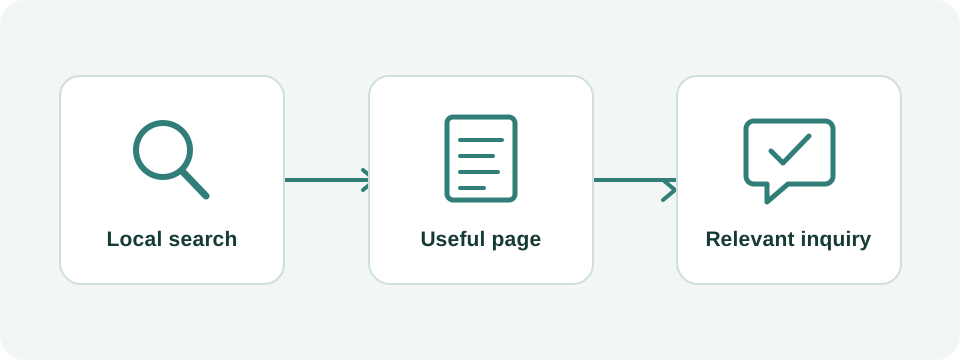
Connect the profile to a page that closes the information gap
Follow the website link as a first-time customer. Does the destination identify the same business and location? Can you find the relevant service, hours, directions or coverage, and next step? If the business has several real locations, the destination should make it easy to understand which location the customer selected.
For a hypothetical appointment business, the profile may generate interest while the booking page creates confusion. Perhaps the website omits appointment duration or makes it unclear whether a submitted form reserves a time. Clarifying those details is a practical conversion improvement. It should not be reported as a guaranteed Maps ranking technique.
Test the journey in the languages you actively support. If a visitor changes to Chinese, preserve the relevant service or location context instead of returning them to an unrelated home page. Keep essential policies aligned across languages. The customer should be able to complete the same decision regardless of which version they read.
Read Maps performance without calling every action a lead
Google's Business Profile performance report distinguishes views and interactions. Its Calls metric counts call-button clicks, not verified completed conversations. Website clicks and direction requests also describe actions rather than sales. The report can include activity associated with both organic results and Google Ads, so do not automatically label the entire total as unpaid SEO performance.
For a hypothetical month, a profile records 40 call-button clicks while the business identifies 25 connected conversations, 14 qualified inquiries, and 6 appointments. These are four different measures. Dividing 6 appointments by 40 clicks produces 15%, but it is only a meaningful journey rate if the records truly correspond. Otherwise report the series separately and explain the attribution gap.
Review website search data in Search Console separately from profile performance. Then bring the two alongside actual inquiry records. Do not add impressions, profile views, clicks, and calls into one customer count. Compare equivalent periods, note advertising and operational changes, and use consistent definitions so the business can see what improved.
Make the next change based on the observed problem
If the profile has an identity or access problem, resolve that first. If information is inaccurate, correct it and record the change. If nearby visibility looks reasonable but calls are unsuitable, improve the service description and contact journey. If the only concern is weaker visibility far outside the actual customer area, revisit the tracking plan before expanding the work.
A useful monthly review includes the selected query and locations, profile changes, comparable performance measures, and a short account of qualified inquiries. Keep a record of what remains uncertain. Avoid changing several unrelated fields every time one search result looks different; that makes it harder to understand the effect of any individual correction.
Wintra can help review a New York City Business Profile alongside its landing page and inquiry process. Send the profile link, website, real location or coverage, priority services, and examples of the visibility problem. That gives us a concrete starting point for an audit and a scope you can evaluate.