Check profile ownership before changing the listing
Dallas spa Google Maps SEO begins with knowing which profile belongs to the business, who controls it, and which location it represents. Confirm that the owner can access the correct listing and that unresolved verification or access problems have a named next step. Creating another listing is not a substitute for recovering the right one.
Keep the business in control of ownership and give staff or an agency the access needed for their work. Google's owner and manager roles support separate accounts rather than shared passwords. Review People and access when someone joins or leaves the team, and record who is responsible for appointments, business information, and review replies.
A hypothetical spa changing marketing providers should first list its existing profiles and authorized users. It can then agree which manager access the new provider needs and how the previous provider's access will end. This prevents routine updates from depending on a former employee's personal account or a password that nobody can locate.
Choose categories from the business you actually operate
Review the primary category against the spa's real operation, then consider only additional categories that accurately describe it. Google recommends specific categories that represent the core business and the fewest needed to do so. Check the options available in the profile; do not assume a category name from an old checklist is still available or suitable.
A service offered on the menu is not automatically a reason to classify the whole business that way. Likewise, a neighboring tenant or an independent provider sharing the building does not become part of your business simply because the address is similar. Ask the owner to approve a plain-language description of what the spa is before changing classifications.
Keep medical positioning tied to the actual business. A marketing keyword is not evidence that the spa provides a clinical service. Describe services truthfully on the website and in the profile, and have the appropriate person review specialized claims. For this audit, the task is accurate business representation rather than writing health advice.
Keep Dallas and Plano location facts separate
If the appointment takes place in Plano, identify that real location clearly. Dallas-area positioning can describe a broader audience, but it should not disguise the address or imply a Dallas storefront. Likewise, a spa with a Dallas address should not create a Plano branch listing merely because customers travel from there.
For multiple real locations, check each profile against its own address, phone route, services, hours, and booking destination. Shared branding is compatible with distinct operating details. A copied booking link can send a customer to the wrong branch even when both profiles look polished. Have staff at each location verify their own customer journey.
Use the following hypothetical decision table before adding or changing a profile. It is not a list of locations operated by Wintra or a claim about any particular spa. Where eligibility is uncertain, review Google's actual rules and the business facts before making a new record.
| Business situation | What to verify | Practical decision |
|---|---|---|
| One spa at a Plano address | Actual customer-facing location and business identity | Represent the Plano operation accurately; do not invent a Dallas branch |
| Real Dallas and Plano locations | Eligibility and separate operating details for each | Maintain location-specific facts and booking routes |
| Several services under one spa business | Whether they are service choices or distinct eligible entities | Do not multiply profiles solely to target service terms |
| A mobile service also visits clients | Whether the operation meets the relevant service-area or hybrid rules | Describe the real model and accurate coverage |
| An old agency still has access | Current ownership and authorized users | Arrange an access handoff through the existing profile |
Test the website and booking links as separate destinations
The website link helps someone investigate the business; a booking link should help them take an appointment action. Open each from the public profile and check the destination on a phone. Verify the selected branch, service options, current availability, and what happens when no appointments are available. A link that loads successfully can still lead to the wrong location.
Google allows local action links, and some third-party links can appear through providers or automated information. Inspect the links actually shown rather than assuming only your manually entered URL exists. Where available, review the preferred booking link and the provider-removal process when an obsolete provider is still listed.
For a hypothetical spa with two branches, test one Dallas appointment path and one Plano path after a scheduler change. Record the profile, destination URL, selected location, and result. If the scheduler loses the location selection, repair the link or add an unambiguous choice before visitors commit. Repeat the check when providers, services, or locations change.
Request reviews without steering the customer's response
Create a consistent, voluntary invitation after a genuine customer experience. Google's review policy prohibits incentives, selective solicitation of positive reviews, pressure to review while on the premises, and requests for specific review content. Do not offer a discount for a review, screen for satisfied customers first, or tell people which service and city keywords to include.
A neutral example is: if you would like to share your experience, you can leave a review through this link. Let the customer decide whether to respond and what to write. Give the team a simple process they can follow without demanding reviews or turning each checkout into a negotiation.
Assign review replies to someone who understands the business and can avoid revealing personal details. A public response can acknowledge feedback and offer an appropriate private contact route. Do not disclose appointment history, services received, or sensitive information to win an argument. Flag content through the proper reporting channel when there is a policy issue, and do not promise removal of ordinary criticism.
Maintain the profile when operations change
Choose an owner for each recurring task: service information, hours and closures, photos, booking links, and review responses. A front-desk lead may know about a temporary change before a marketing provider does. Create a short handoff so that person can flag the change without needing to edit every system personally.
For a multi-location business, keep a location checklist instead of assuming one update applies everywhere. A closure, phone-routing change, or unavailable service may affect only one branch. After important edits, inspect what customers can actually see and note any unresolved discrepancy. A saved change is not a substitute for checking the public result.
Keep an internal change log with the date, affected profile, approved change, and reviewer. When evaluating later performance, this record helps distinguish a booking-system issue from a change in demand. Avoid repeatedly switching categories or business names simply because a single search check looks different; start by understanding the observation.
Separate Maps actions from confirmed appointments
Google's Business Profile Calls metric counts call-button clicks, not answered conversations. Website clicks measure use of the website link. The Bookings metric depends on bookings managed through a provider, and not every metric is available to every business. The performance report can include activity from both organic results and Google Ads. Label each measure according to what it actually records.
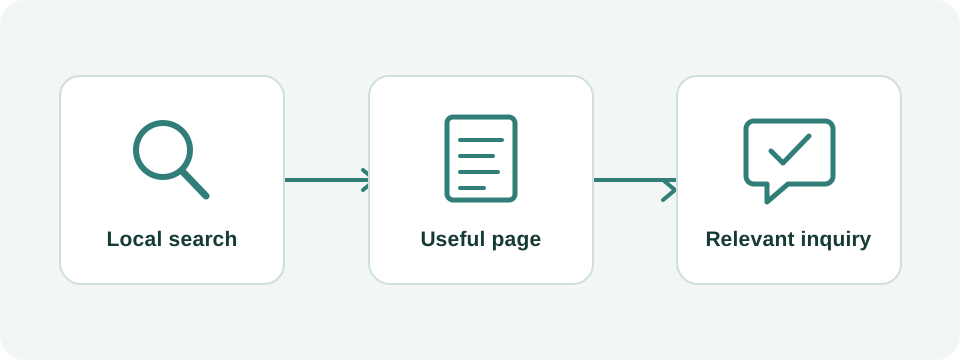
In a hypothetical month, a spa records 30 call-button clicks, 18 connected calls, 11 suitable inquiries, and 7 confirmed appointments. These are separate operational stages, not four counts to add together. If the records can be matched reliably, 7 appointments from 11 suitable inquiries gives an inquiry-to-booking rate of about 64%. Without that connection, report the totals separately.
Review per-location results alongside reception or scheduling totals using comparable periods. Explain unknown sources, cancellations, repeat customers, and advertising changes where they affect interpretation. If clicks increase but booking completions do not, inspect the destination and availability first. More profile activity is not automatically more revenue.
Turn the audit into a limited, accountable work plan
Prioritize in this order: resolve ownership or eligibility problems, correct business facts, repair booking destinations, then establish review and maintenance routines. Choose a reporting cadence that provides enough observations to make decisions. A quiet week at a small spa may not support a meaningful comparison, and a single ranking screenshot cannot establish the effect of a profile edit.
When hiring help, ask for the profile changes, responsible person, access arrangement, and reporting definitions in writing. Wintra can review the public profile, connected website, and booking path with the business owner. Share the actual Dallas or Plano location details and current appointment links so the scope addresses the operation customers encounter.