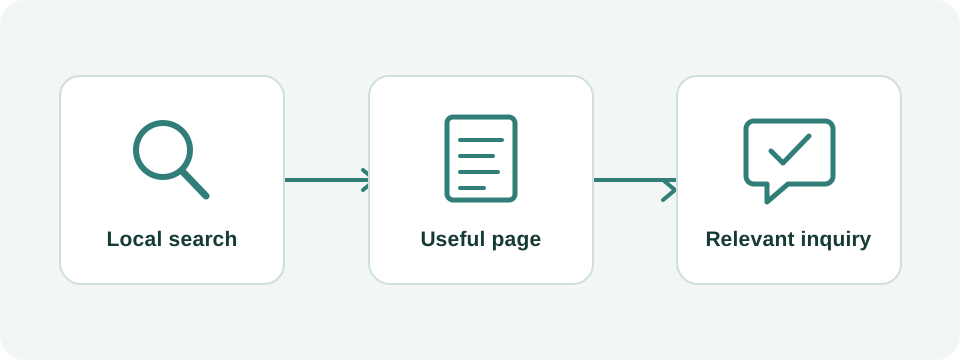
Start with the location customers will actually visit
A Houston wellness center needs local pages that connect a search to the correct service and actual appointment location. Start with the address, services offered there, visitor instructions, and booking destination. A page claiming to serve the whole region is less useful if the customer still cannot tell which building to enter or which appointment to choose.
Make a location record before writing. Include the public business name, street address and suite, contact number, appointment arrangements, current services, and the person who approves changes. Distinguish reception hours from appointment availability when they differ. A single source of verified operating details helps prevent the website, booking system, and Google Business Profile from telling three different stories.
A hypothetical center offering private massage appointments and scheduled movement classes illustrates the problem. Someone looking for an individual session needs a practitioner or appointment choice; someone looking for a class needs a current schedule and registration instructions. Both may arrive at the same door, but they need different information before deciding to visit.
Assign one purpose to each service and location page
Separate the questions what can I book and where will I go. The home page introduces the center and helps visitors choose. A service page explains one meaningful appointment decision. A location page handles arrival and availability at that address. For a small single-location center, the home page may already handle the location role; an additional location URL is not automatically necessary.
Use the worksheet below with your real services. It is a hypothetical planning model, not a requirement to publish every row. If two proposed pages would contain the same answers, combine them or give them genuinely different responsibilities. The aim is a site that reception can explain in a few sentences.
| Customer question | Page responsibility | Evidence to provide |
|---|---|---|
| What does the center offer? | Home page or service overview | Current menu and links to meaningful service choices |
| Which individual appointment suits my request? | Relevant service page | Appointment format, provider information, booking instructions |
| Which class can I attend? | Class page or maintained schedule | Actual timetable, registration route, attendance requirements |
| Where do I enter? | Actual location page or visit section | Address, suite, verified entrance and arrival information |
| Is my appointment confirmed? | Booking flow and confirmation | Selected service, location, time, and confirmation status |
Make Houston location information useful at arrival time
Walk through the journey from the street to reception. If the address leads to a multi-tenant building, tell visitors which suite and entrance to use. Publish an entrance photo when you have permission and it accurately represents the route. Explain parking or access arrangements only after checking them; an old parking instruction can be worse than no instruction.
Test the map destination on a phone and compare it with the written address. Check whether the directions lead to the entrance customers actually use. If a map pin or business address is wrong, use the appropriate correction process. Do not solve a routing problem by inventing a more convenient address on the website.
Avoid unverified travel-time promises. A customer choosing an appointment needs dependable location facts, not an unsupported claim that the center is minutes from every nearby community. If clients travel from Katy or Sugar Land, you can describe that truthfully when supported by the business. It does not make those places additional locations, and they should not appear as branch addresses.
Give reception a simple maintenance task: review the arrival section whenever the entrance, suite, phone, parking arrangement, or appointment procedure changes. Include the booking confirmation in that review. Search discovery succeeds only partly if customers then arrive at the wrong door or call because the confirmation contradicts the page.
Describe several services without creating competing copies
Create separate service pages when the customer needs different information to choose. Individual appointments and group classes may differ in scheduling, preparation, provider, and next step. Small variations within one appointment type may be better explained as options on one page. A new keyword spelling is not enough reason for a new URL.
For each service, write a short brief: intended visitor, actual offering, practical questions, factual reviewer, and booking destination. Include duration or price only when the business can keep it accurate, and explain what the displayed amount covers. This is an operations exercise before it is a writing exercise. The person handling appointments should be able to verify the page.
Keep wellness marketing within what the business can substantiate. Describe the experience, service format, team, and practical process accurately. Do not add treatment promises or condition pages simply to capture health searches. If clinical material is appropriate to the business, it requires suitable evidence and qualified review; ordinary service descriptions should not invent medical claims.
Link the service pages from the overview with descriptive labels, then link each service to the relevant location and appointment route. Google recommends crawlable links and meaningful anchor text. A visitor should recognize the destination before clicking, rather than seeing several identical buttons labeled learn more without context.
Use geographic language without implying extra premises
Describe a real Houston address as a Houston location. If the business is physically elsewhere, name its actual city clearly and explain any wider audience without obscuring that fact. A regional customer base, a mailing address, and a staffed place where appointments occur are different things. The website should help a reader distinguish them immediately.
Google's service-area settings apply to businesses that visit or deliver to customers, including eligible hybrid operations. They are not a list of places from which a storefront hopes to attract visitors. A center that only receives customers at its premises should not describe itself as offering at-home sessions unless that service really exists.
Before proposing a neighborhood page, identify its unique customer task. Useful differences might include a real second location, location-specific services, or verified arrival instructions. A page that merely swaps Houston for another place name adds little. Google's doorway policy addresses substantially similar pages created to capture related searches and funnel visitors elsewhere.
For the hypothetical single-location center, a clear visit page plus distinct appointment and class pages is a sensible starting structure. If it later opens another real location, it can add a page with that location's services and booking destination. Expansion of the website should follow an actual information need, not a spreadsheet of geographic variations.
Run a booking handoff test before publishing
Use a phone to start from each important page and follow its booking link. Check that the intended service and location survive the handoff to the scheduler. A button on a class page should not leave visitors guessing which unrelated appointment menu to choose. If the scheduling system cannot preserve that selection, give clear instructions before the click.
Have a staff member perform an agreed test without occupying a real appointment unnecessarily. Check the confirmation screen, notification delivery, displayed address, cancellation information, and who handles a request that needs manual approval. Distinguish request received from appointment confirmed. Record the test result and fix the first broken step before increasing traffic to that path.
A hypothetical test might reveal that every page opens the same scheduler, which defaults to a different service. The fix could be a service-specific link or a short selection guide, depending on the system. That is a concrete improvement to the customer journey; it is not evidence of a particular ranking increase or a completed customer booking.
- Start at the service page and note the expected appointment.
- Check the destination, location selection, and available next action.
- Verify the confirmation and staff notification using an agreed test method.
- Repeat in each supported language and after scheduler changes.
Review the page journey before adding the next article
Track the priority page, the published change, and its intended effect. In Search Console, compare relevant queries and website clicks over comparable periods. Then review aggregate inquiry and appointment records with reception. Keep search visibility, booking-link use, inquiries, and confirmed appointments separate. If the scheduler cannot connect records reliably, describe the gap rather than inventing a conversion rate.
If relevant visits increase while suitable inquiries remain flat, inspect service clarity, available appointments, and the booking handoff. If people repeatedly ask whether you have a branch in another city, revise geographic wording. If visitors understand the services but struggle at arrival, improve the visit instructions. Each observation points to a different next task.
Wintra can help organize these pages and their local-search implementation. Bring the actual address, current service menu, website, appointment links, and the questions reception hears most often. We can discuss a scope for the Houston center that prioritizes observable problems and stays maintainable as services change.